 master
How to Synchronize Airbnb, iCal, Google Calendar, and Booking Calendars
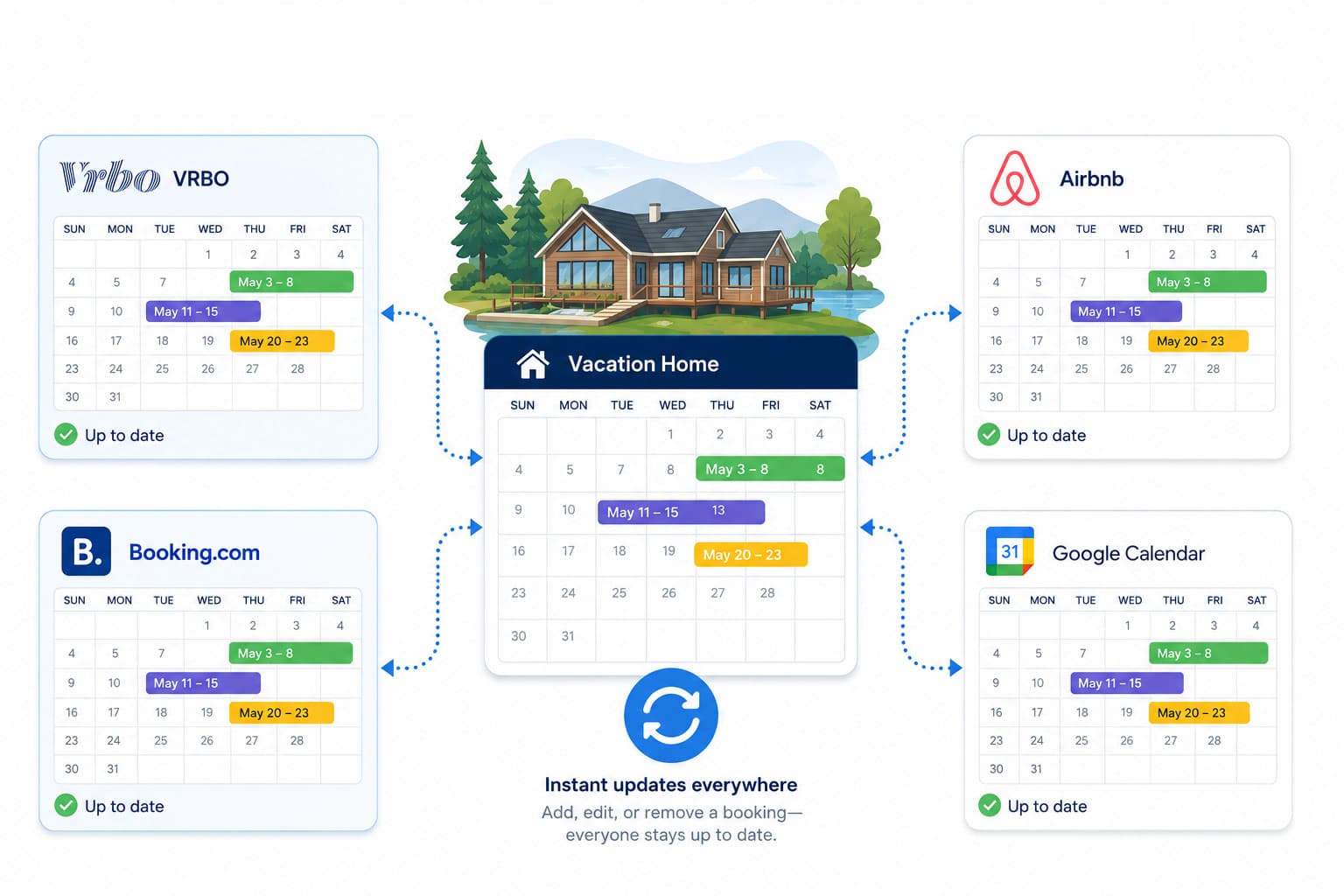
If you take bookings on Airbnb, list the same property on Booking.com, and also like to see everything in Google Calendar, you have probably run into the core problem of multi-platform hosting: each calendar only knows about its own reservations. A guest books your place on Airbnb, but Booking.com has no idea -- so it happily lets someone else reserve the same dates. The result is a double booking, an awkward cancellation, and a dented review score.
The good news is that almost every booking platform speaks the same underlying language: iCal. Once you understand how iCal feeds flow between platforms, synchronizing Airbnb, Booking.com, Google Calendar, and anything else becomes a solvable problem. This guide covers both the manual approach and the more reliable centralized approach.
What “synchronizing” actually means
Synchronizing calendars means making sure that when one platform marks dates as booked, every other platform also marks those dates as unavailable. There is no magic shared database between Airbnb and Booking.com -- they coordinate by exchanging iCal feeds.
Each platform offers two things:
- An export URL-- a link to an .ics feed listing that platform's bookings.
- An import field-- a place to paste another platform's export URL so it pulls in those bookings as blocked dates.
Synchronization is simply connecting exports to imports so every calendar sees every booking.
The manual method: cross-importing iCal links
With two platforms, the manual method is workable. Suppose you have Airbnb and Booking.com:
- In Airbnb, find your listing's calendar export URL and copy it.
- In Booking.com, paste that URL into the iCal import field for the same property.
- Copy Booking.com's export URL.
- Paste it into Airbnb's import field.
Now each platform imports the other's bookings. This is the same cross-import pattern we cover in detail for Airbnb and VRBO, and it works identically for Booking.com.
Adding Google Calendar to the mix
Google Calendar is slightly different: it is great at subscribing to feeds (so you can view your bookings), but it is not where reservations originate. To see all of your bookings in Google Calendar:
- Open Google Calendar and choose Other calendars → From URL.
- Paste each platform's iCal export URL, one at a time.
Google Calendar will now display your Airbnb and Booking.com bookings side by side. Note that Google refreshes subscribed calendars on its own schedule -- often only every 12 to 24 hours -- so it is useful for a bird's-eye view, but not for fast conflict prevention.
Why the manual method breaks down
Cross-importing works for two platforms. The trouble starts as you add more. The number of connections you have to create and maintain grows with every platform:
- 2 platforms = 2 links to manage
- 3 platforms = 6 links
- 4 platforms = 12 links
Every one of those links can silently break -- a URL changes, a platform rotates its feed, or an import quietly stops updating. And because each platform polls on its own slow schedule (Airbnb checks imported feeds roughly every few hours, Booking.com and others can lag even longer), there is always a window where one platform does not yet know about a booking made on another. That gap is exactly where double bookings happen. We break down the failure modes in why iCal sync breaks and how to fix it.
The reliable method: merge everything into one feed
Instead of wiring every platform to every other platform, the centralized approach uses a single hub. You connect each platform's export URL once to the hub, and the hub produces one merged feed that you import back everywhere.
This is what mastercalendar.io does. Cal the Robot fetches all of your connected feeds, merges them into a single master calendar, and gives you one export URL to paste into Airbnb, Booking.com, Google Calendar, and anywhere else. The math changes completely:
- One import per platform, no matter how many platforms you add
- A single merged feed that is always the source of truth
- Syncing on a much shorter schedule (as fast as every few minutes) rather than waiting hours
- Conflict detection that flags overlaps before they become problems
For a deeper look at the centralized model, see how to merge multiple rental calendars into one view and our broader guide to preventing double bookings across platforms.
Don't forget buffer days
Synchronizing availability solves the “is this date free” question, but back-to-back bookings create a different headache: no time to clean and prep between guests. A good sync setup also lets you add buffer days automatically, so a checkout on Sunday does not turn into a same-day check-in nightmare.
Step-by-step: a clean centralized setup
- Gather the iCal export URL from each platform you use (Airbnb, Booking.com, and any others).
- Add each URL as a source feed for your property in mastercalendar.io.
- Set any buffer days you need for turnover between guests.
- Copy the single merged export URL mastercalendar.io generates.
- Paste that one URL into the import field on every platform -- and subscribe to it from Google Calendar for an always-current overview.
From then on, a booking on any platform propagates to all the others through one merged feed, instead of through a tangle of point-to-point links.
Key takeaways
- Airbnb, Booking.com, and Google Calendar all speak iCal -- that is what makes synchronization possible.
- Manual cross-importing works for two platforms but scales badly and breaks quietly.
- Google Calendar is best for viewing bookings, not for fast conflict prevention.
- A centralized merge -- one feed in, one feed out -- is the reliable way to keep every calendar in sync and prevent double bookings.