 master
How to Sync Your Airbnb and VRBO Calendars (Step by Step)
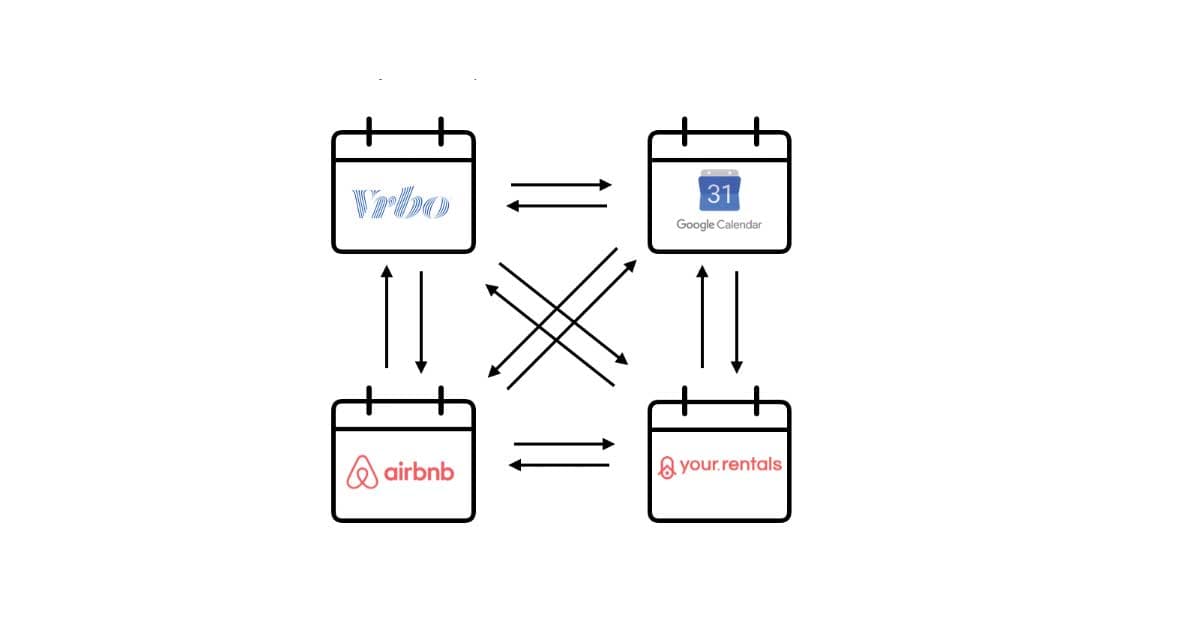
Listing the same property on both Airbnb and VRBO is one of the fastest ways to increase bookings. It is also one of the fastest ways to get a double booking if your calendars are not in sync. This guide walks through the process step by step.
Step 1: Export your Airbnb calendar
In Airbnb, go to your listing, open the Availability tab, and scroll to Connect calendars. You will see an option to export your calendar. Click it to copy your iCal link -- it will look something like:
https://www.airbnb.com/calendar/ical/12345678.ics?s=abc123...
Save this URL. You will paste it into VRBO in the next step.
Step 2: Import the Airbnb link into VRBO
In VRBO (or Vrbo, as they style it now), go to Calendar→Import/Export Calendar → Import. Paste the Airbnb iCal URL and give it a name like “Airbnb Bookings”. Save it.
VRBO will now periodically check that URL for new bookings and block those dates on your VRBO calendar.
Step 3: Export your VRBO calendar
On the same Import/Export page in VRBO, look for the Export option. Copy the iCal link VRBO provides.
Step 4: Import the VRBO link into Airbnb
Back in Airbnb, on the same Connect calendars page, choose Import calendar. Paste the VRBO link and save. Airbnb will now check VRBO's calendar and block those dates.
The problem with the two-way approach
This works, but it has weaknesses:
- Slow sync -- Airbnb checks imported calendars roughly every 3 hours. VRBO can take up to 12 hours. In between, both platforms think those dates are open.
- Scales poorly -- Add Booking.com and you now need 6 links (each platform importing from the other two). Add a fourth and it is 12.
- Loop risk -- If events are not tagged properly, platform A can re-import events it originally exported, creating ghost duplicates.
A better approach: centralized merge
Instead of connecting every platform to every other platform, you can funnel all your feeds into a single merge point. mastercalendar.io works like this:
- Add your property and paste in all your iCal export URLs
- mastercalendar.io merges them into one combined feed
- Import that single mastercalendar.io URL into each platform
Now you have one link to manage per platform instead of a web of cross-connections. mastercalendar.io syncs on a fast schedule (as often as every 10 minutes), tags events to prevent loops, and alerts you immediately if it detects overlapping bookings.
Tips for a clean setup
- Always use the platform's official iCal export URL, not a third-party scrape
- Name your feeds clearly (e.g. “Airbnb - Beach House”) so you can identify them later
- After setup, create a test booking on one platform and verify it appears on the others
- Check your sync health dashboard regularly to catch any feed that stops responding